Should I buy it?
Should I buy it? Check clothes against your wardrobe
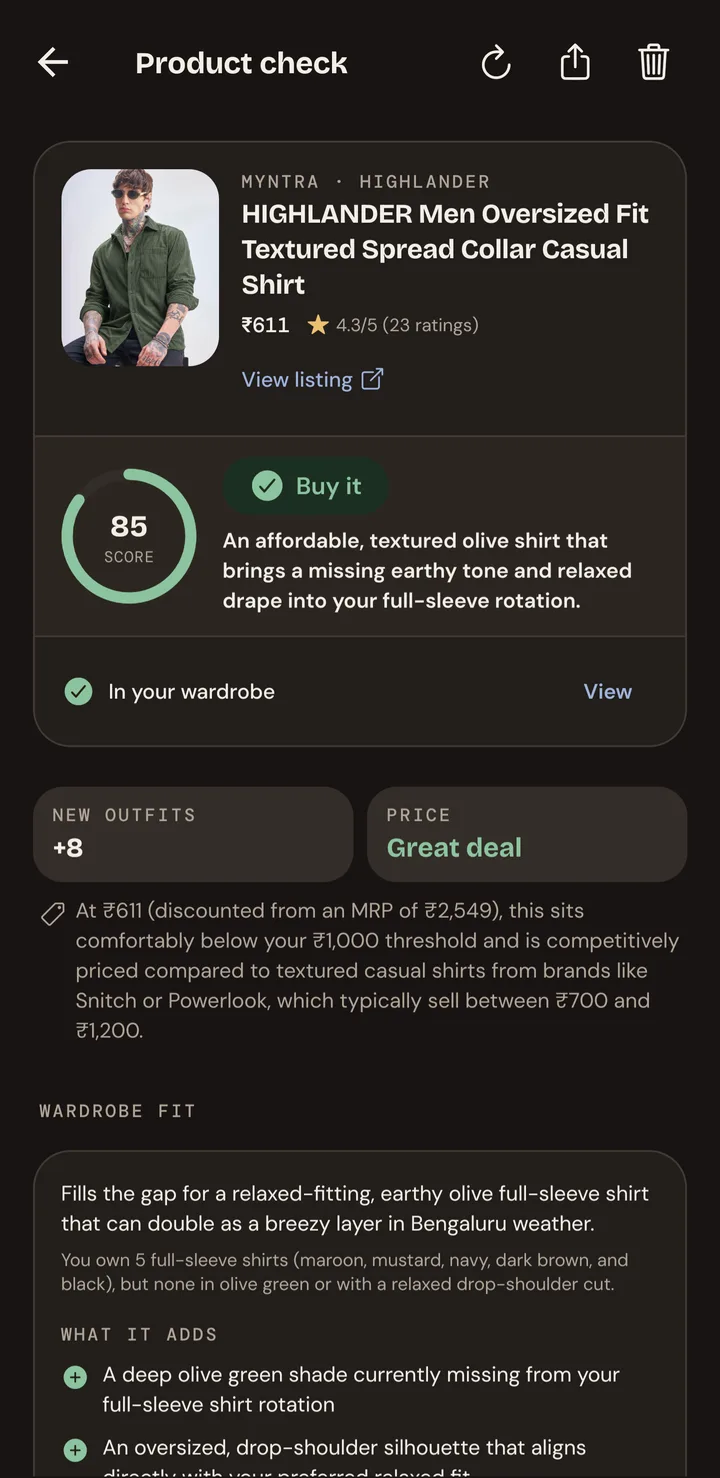
Pehno is an AI wardrobe manager for Android. Paste a product link or add a screenshot, and it checks the item against the clothes you own. You get a Buy it, Think it over or Skip it verdict, a score, the price and review notes, and the outfits it would make with your closet, before you pay.
How it works
Three steps from link to verdict
Step 1
Add your clothes
Photograph your clothes once. Pehno tags each piece with its category, colour and style. Verdicts get much more personal once you have at least 5 items in your wardrobe.
Step 2
Paste a link or add a screenshot
Share a product link from a store, or add a screenshot of the listing. A screenshot is the most accurate, because it shows the price and reviews. You can add a note, such as your size or the occasion.
Step 3
Get a verdict
Pehno reads the listing, looks up reviews and prices, and matches the item against your wardrobe before it answers.
What you get
More than a yes or no
- A verdict (Buy it, Think it over or Skip it) and a score out of 100
- Whether the price is fair, with notes on typical prices
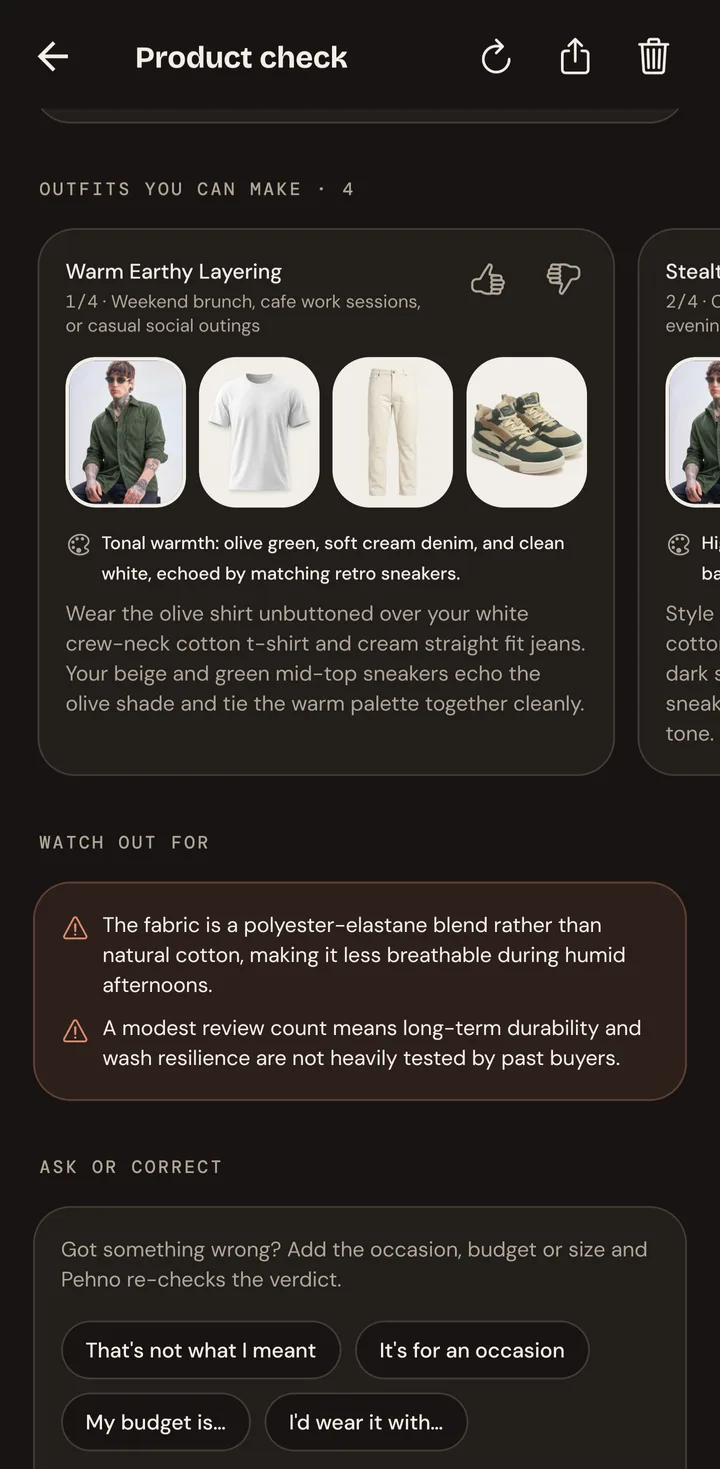
- Pros and cons from reviews, plus sizing and quality notes
- How many pieces you already own in the same family, and any near-duplicates
- What it adds to your wardrobe, and the gap it fills (or doesn't)
- Outfits it would make with clothes you already own
- Red flags, such as a misleading listing or poor reviews
Stores
Works with the stores you shop
Product links from Myntra, Ajio, Amazon and Flipkart work, and so do most other fashion stores. Stores sometimes block automated readers; when that happens, add a screenshot of the listing and Pehno reads that instead.
Choosing between options? Compare mode takes 2 to 4 products from any store and picks one. After a check, you can chat with Pehno to add context, and it revises the verdict if the answer changes.
Questions
How do I check if clothes match my wardrobe before buying?
Add your clothes to Pehno from photos, then paste a product link or add a screenshot of the listing in the Check tab. Pehno compares the item with what you own and gives a verdict, a score out of 100, and outfits it would make with your clothes.
What verdicts can I get?
Buy it, Think it over or Skip it, with a score from 0 to 100 and a one-line reason. Skip it is mainly for items that duplicate something you already own.
Which stores does it work with?
Links from Myntra, Ajio, Amazon and Flipkart work, and so do most other fashion stores. If a store blocks the link, add a screenshot of the listing instead.
Can I compare two or more products?
Yes. Compare mode takes 2 to 4 links or screenshots from any store and picks one, with the reasons.
Can I ask follow-up questions about a verdict?
Yes. Each saved check has a chat where you can add context, such as the occasion or your size. Pehno re-checks the item and updates the saved verdict if the answer changes.
Does it cost anything?
Pehno is free to start and includes free AI credits every month. A check uses AI credits. You can also add your own Gemini API key instead of using Pehno credits.
Check before you buy.
Your next great outfit is already in your closet.
Get Pehno on Android.
Get it onGoogle Play